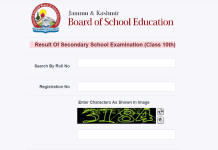

Srinagar: Islamic University of Science & Technology declared the IUST Semester Examination Result 2017.
The result was declared by the University on its official website.
Students can check the results by visiting the official website of Islamic University of Science & Technology and click “Results” button on the homepage of the website.

On the “Results” page, students can check their “Semester Examination Result” by feeding in their University Registration Number / Roll Number and selecting their semester from the dropdown menu. Then, clicking “Get Result” button will show the result.
Alternatively, Click Here to visit the Results page directly and checking your Semester Examination Result.
Follow Us
The Kashmir Pulse is now on Google News. Subscribe our Telegram channel and Follow our WhatsApp channel for timely news updates!